Broker sync, only after broker approval.
EdgeHabit is reviewing broker integrations one by one. No public connection will be advertised until its permitted authentication, data access, and storage method is confirmed. Use tradebook upload or manual entry today.
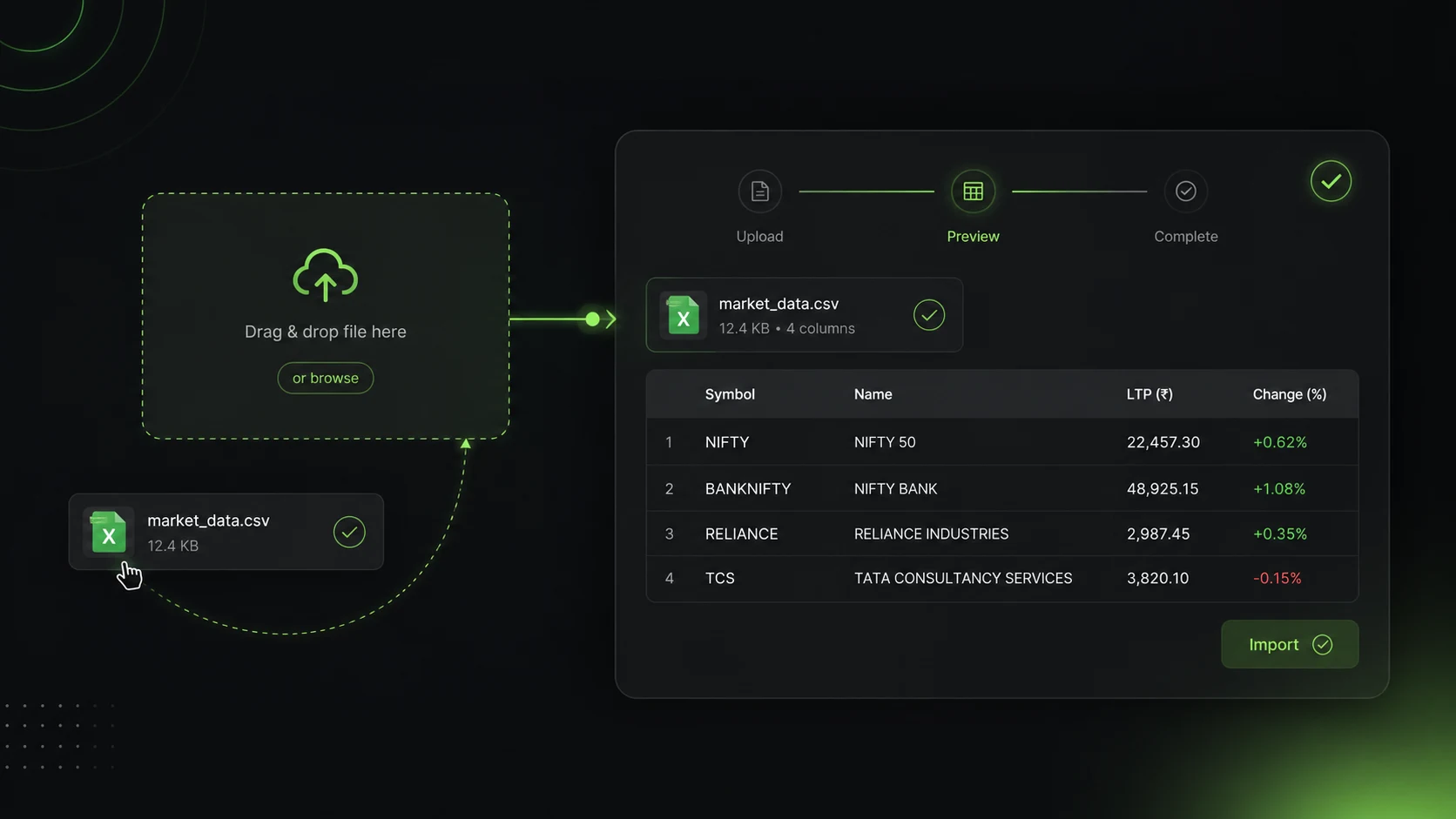
Tradebook Import Demo
Demo2 trades missing setup tag. Ready for review tags in journal.
The boring work is stealing your review time.
You forget to log trades.
You say: "I will do it later." Later becomes never.
- •Delaying reviews leads to repeating the same mistakes.
- •Reviews get forgotten.
Excel creates mistakes.
Wrong date, quantity, symbol, or P&L.
- •Then the analysis becomes wrong too.
- •Sloppy imports make records useless.
Multiple accounts become messy.
One broker here. One file there.
- •One sheet for options, one for equity.
- •No consolidated overview of performance.
You spend time cleaning, not improving.
A trader should review behavior. Not fight with columns.
- •Manual copy-pasting eats hours.
- •Time is better spent planning trades.
How EdgeHabit brings the trades in
Broker sync — coming soon
EdgeHabit will enable each connection only after broker-specific approval or confirmation that the proposed third-party method is permitted.
No broker listed on this site is represented as a current partner or supported integration unless its status is explicitly changed to available.
- ✓Broker permission
- ✓Approved auth
- ✓Read-only scope
- ✓Public launch
File Upload
Download your tradebook (CSV or Excel) from your broker back office.
Drag and drop it into EdgeHabit. Our parser maps broker columns automatically, matching symbol, time, price, and side in seconds.
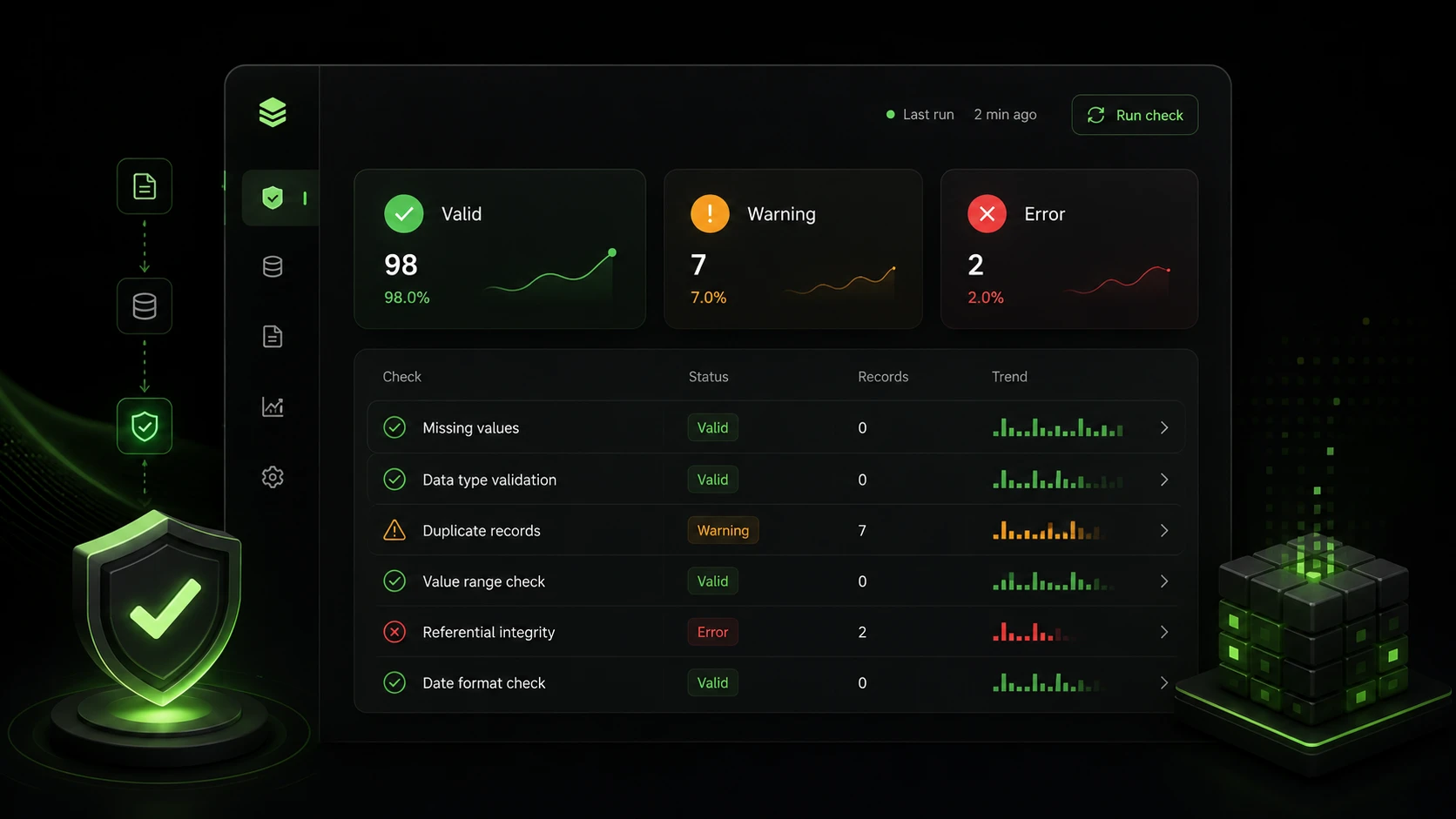
Auto Data Quality Check
EdgeHabit checks your data for anomalies.
It catches double entries, matches buy/sell timestamps, alerts you to missing setup labels, and ensures your option contracts match correctly with underlying index charts.
No broker credentials requested today.
Public broker sync is coming soon. Do not send EdgeHabit a broker password, PIN, OTP, TOTP seed, API key, or API secret. Any future enabled integration will disclose its broker-permitted method before you connect.
FAQ
Stop copy-pasting your trading history.
Upload a tradebook or add trades manually and start reviewing your patterns.
Start with a tradebook